
Our technology · PXD Hub
All of your brand’s work, in one place.
Our purpose-built platform. It is where our content agents work, where the team runs every project, and where you follow and approve your brand’s work from any device.
Features
No more lost emails or chats.
Everything that used to live in email threads, chats and spreadsheets, organized by brand and by asset.
- 01
Content agents trained on your brand system
Our own agents work on content strategically, with each brand’s tone, messages and visual rules. The PXD team directs, reviews and approves.
- 02
Calendar and status of every asset
What goes live, when, and what stage it is in: in production, in review, approved or published.
- 03
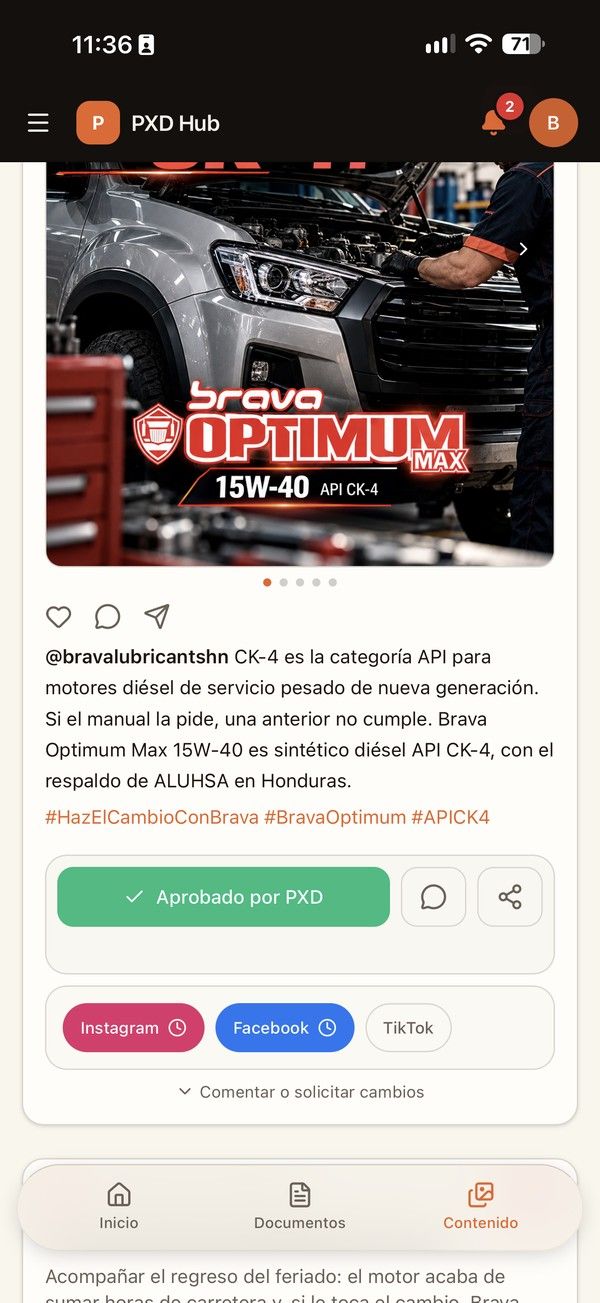
Post scheduling and approval
Every asset arrives with its objective and copy. Approve it or request changes with one tap, and it is scheduled for the agreed date and channel.
- 04
Comments and notifications
Conversations stay next to each asset, with mentions and alerts for whoever needs to respond.
- 05
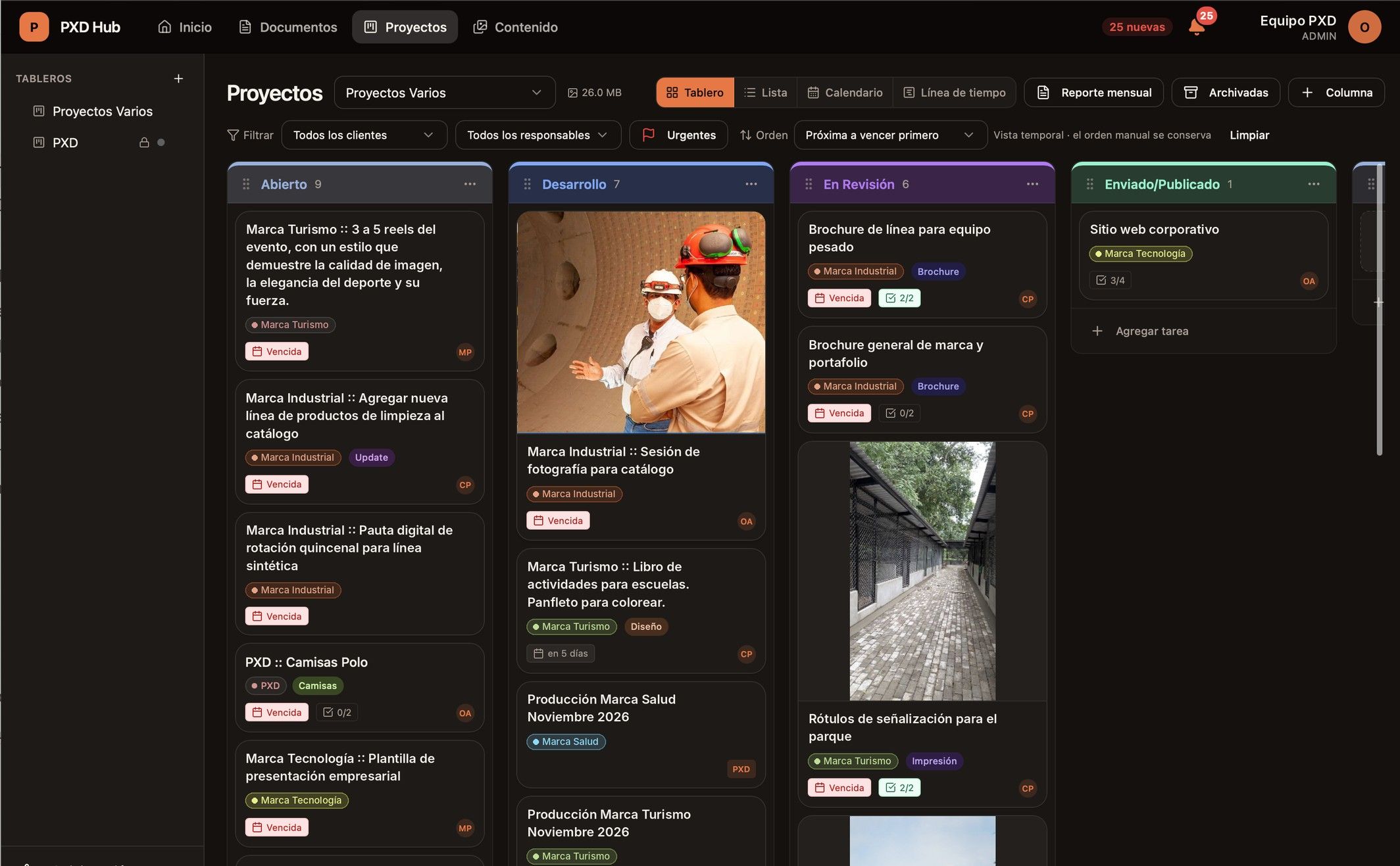
Projects and tasks by owner
Board, list, calendar and timeline views so the team knows what’s next and what’s overdue.
- 06
Brand documents
Reports, strategies, production files and assets, organized in folders and always at hand.
Client view
Your brand, up to date from your phone.
Each client reviews their month, approves every asset and checks their documents in one place.
01
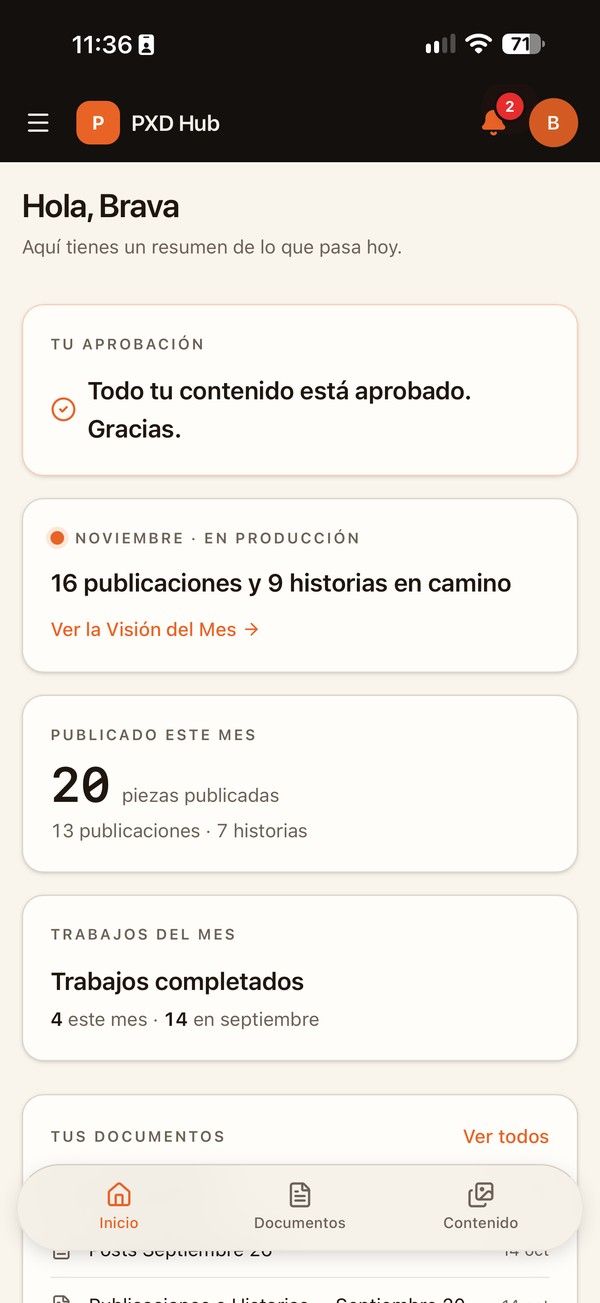
Monthly overview
What’s approved, in production and published, at a glance.

02
Every asset with its objective
The artwork, the copy and why the post exists.
03
Approvals and changes
Approve, comment or request changes, and see which channels it will run on.
04
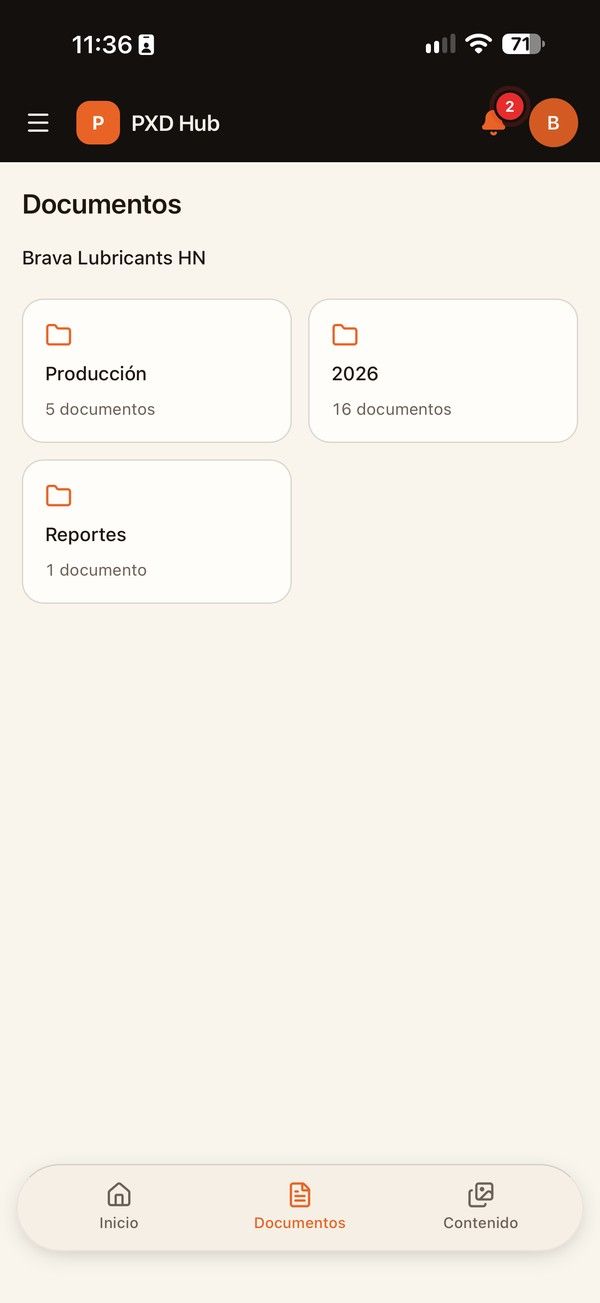
Documents
Reports, production files and brand assets, organized in folders.
For every role
Everyone sees what they need.
Client
Reviews the month, approves every asset and checks documents.
PXD team
Organizes projects, produces, receives feedback and delivers on time.
Leadership
Sees every brand, each project’s progress and what needs attention.
PXD Hub is part of every Digital operations plan: nothing goes live without your approval.
Frequently asked questions
Do I need to install an app?
No. PXD Hub runs in the browser on your phone or computer. You sign in and see your brand’s work.
How do I approve an asset?
Open the asset, review the artwork, copy and objective, and approve it or request changes with a comment. The team is notified right away.
What’s next for PXD Hub?
Soon, the same place will also handle approvals for PXD Stream digital-screen content, blog articles and other project deliverables for each client.
Who has access to PXD Hub?
PXD clients get access for their brand. Each person sees only the information that applies to them.

Let's talk
What does your business need to achieve this year?
Tell us your challenge. We will answer with a clear path, not a catalog.